
At about 1:20 on the afternoon of November 25, I wanted to edit an image in MYSITEBUDDY. At 3:00 I still had the original image. I’d spent the time in between on API keys, a $300 trial, billing, and service-account permissions. The last thing Gemini told me was the same thing it had told me at 1:29: API_KEY_SERVICE_BLOCKED.
I already had a paid Gemini project. It had worked for chat. I’d put $100 in credits on it five days earlier. In three troubleshooting chats that afternoon, we never tried it.
I build software for clients. When I choose a model for a tool, I’m also choosing who gets the next question somebody types into it. The person asking doesn’t visit Google.com and compare answers. They press a button in the software I built. If there’s a workable alternative to Gemini for that button, I’ll take it. Here’s the history behind that decision.
October 28: Claude finishes the call review
My first Gemini key troubleshooting chat dates to October 4. There’s another on October 15 about a cap. I don’t have the contents of those two chats, so I won’t pretend I know how long they took. On October 28 I remember exactly why I needed the connection: I had a client call to review.
Gemini was failing in MYSITEBUDDY. I switched to Claude Sonnet and finished the review. From the client’s point of view, the job was done. From mine, there was still a broken integration. Being able to switch models had bought me time; it hadn’t fixed anything at Google.
AI Studio showed a $100 spending cap. We raised it to $250. That morning we also got an HTTP 400 while asking the API for its list of models. We checked the base URL and the header carrying the key. The remedy we pursued for that error was a fresh key from the same project. Checking a credential, though, didn’t answer the question I kept coming back to that afternoon: if we’d raised the cap, why was spend still stuck at $100.07?
Our troubleshooting record pointed to a separate spending control on this setup in Cloud Console, still set to $100. Changing the amount in AI Studio had not changed that one. I clicked “Lift spend cap.” Afterward, the amount on the screen still said $100. I’d now seen $250 in one place, $100 in another, and $100.07 on the spend display. Those three numbers were my afternoon. The client already had the review from Claude.
November 20: money in the account, again
By November 17, we’d also had to sort out which Google product I was paying for. Access to the Gemini app wasn’t paying for API calls made from MYSITEBUDDY. Connecting tools in the other direction, so Gemini could call MYSITEBUDDY, wouldn’t pay for them either. I wanted to use Gemini occasionally inside my own application. The account that mattered was the one paying for that project’s API usage.
On November 20, the Cloud-side spending control had triggered again. We lifted it and set it to $250 to match AI Studio. I meant to add $200 in credits and added $100 instead. My mistake. But it meant that the following Wednesday, when I wanted to try an image edit, there was a specific project under my own account with paid Tier 2 access, a $250 cap, and credits I’d just bought.
1:22 p.m.: a perfectly plausible key for the wrong account
Buddy asked for a key and opened AI Studio. Skipping the onboarding screen produced something called “Default Gemini API Key.” It was a free-tier key in somebody else’s account. The mistake was ours: we should have identified the project behind my working chat connection before creating anything. Instead, Buddy told me free tier was fine for light use. I only wanted one edit, but the relevant question was whether that tier covered the edit at all.
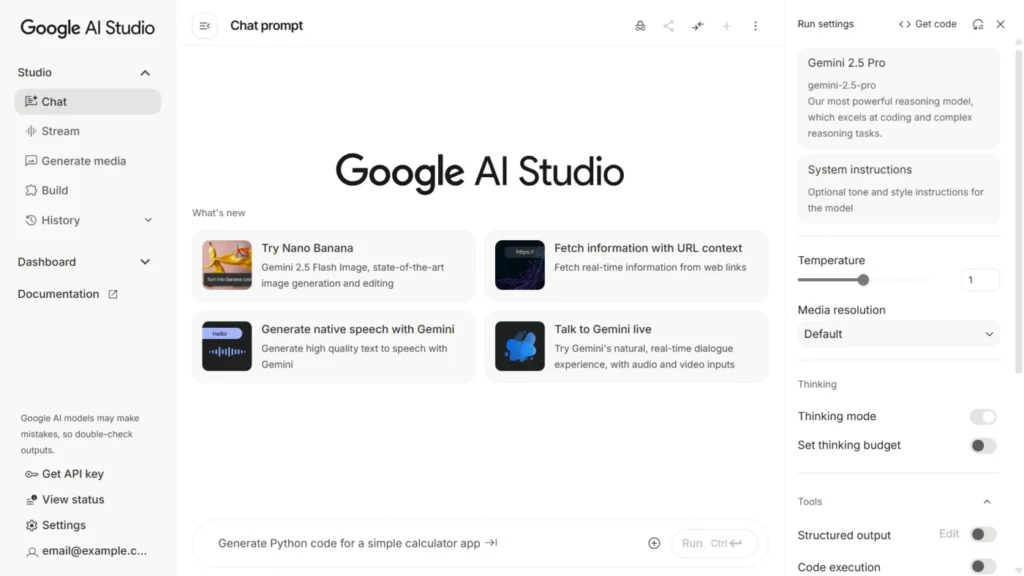
At about 1:29 the edit failed. The troubleshooting advice for API_KEY_SERVICE_BLOCKED was to turn on the API and allow the key to use it. So we went into the project and looked. The Gemini API was already on. The key was already allowed to use it. That took us through roughly the first nine minutes. We spent the next hour and a half trying to work out what the error meant if the suggested fix was already in place.
What an hour and a half of “check your settings” actually looks like
First Buddy guessed at another account. I had to stop it. Then we tried to make a plain key. The creation screen we saw wanted a service account attached, so we canceled. We found forum reports from people seeing the same error with newer keys. That sounded relevant. It didn’t tell us whether the key format was why our request failed.
Next came the $300 Google Cloud trial. Buddy recommended it. I went through setup and linked it. The trial showed as linked; the image edit still failed. When we checked the credits eligible for Gemini, the amount shown was $0. I wish we’d looked for that figure before I entered payment details. A $300 offer and zero dollars available for the job that brought me there are two very different things to discover on opposite sides of a signup form.
I activated paid billing. The project moved to Tier 1. I set a $100 cap. We tried the edit again. Same error. We made a new key. We gave two service accounts the Service Usage Consumer role. Same error. At about 3:00 I stopped.
None of this establishes that newer keys are broken, or that my older key would have worked. We didn’t test it. It establishes something more useful to me as the person who has to support these integrations: after changing the billing tier, replacing the credential, and granting permissions, I had no better explanation for what was blocking the request than I’d had at 1:29. And I now had a second billed project to keep track of.
Would you put those hours on a client’s invoice?
The 100 minutes are for November 25 alone. They don’t include the October key work, the morning I switched the client review to Claude, the afternoon spent watching $100.07 sit still, or either of the November billing conversations. I can’t give you a total for all of it. I can tell you what I’d have been able to deliver for the last 100 minutes: no edited image and no verified fix.
And this was my own setup. On a client account, the person with billing access may not be the developer. Each time I ask that person to sign in, choose a project, or approve a charge, I’m spending their time too. Imagine asking a client to enter payment information for a trial, then calling back to explain that it shows zero eligible credits and I’d like them to activate paid billing instead. Now imagine the next call, when paid billing hasn’t changed the error. I don’t want to have to make those calls.
Give me Claude, Grok, ChatGPT, Perplexity, or another provider that can do the job. I’m not claiming I ran a timed comparison of all four. I’m telling you how I’ll make the purchasing decision. With Claude I have one particularly good piece of evidence: the client got the call review. With Gemini I have an afternoon when I couldn’t even find out whether I liked its image editing.
The search Google never gets to compete for
An image edit isn’t a search. What connects the two is the decision I make when I build the software. Suppose the next feature lets a client ask a question about a call instead of asking for an image edit. They type their question into MYSITEBUDDY. If I’ve connected another provider, that’s where the question goes. There’s no Google results page on which a better AI Overview can win that particular query back. The answer has already been delivered.
That’s what I mean by “gone forever.” I don’t mean that nobody who uses another AI tool will ever visit Google again. I mean Google has lost that search. And when the next client asks for the same feature, I have a working integration I can reuse. Google now has to give me a reason to take it apart. A model update alone won’t do it. I never got far enough on November 25 to judge the model I already wanted to use.
The drastic change I want is for Google to take responsibility for the whole path from a client granting access to the first successful request. Let me test the exact model and operation from the connection I’m setting up. Show me which account owns the project, whether the credits apply, and which control denied the request. If somebody else has to approve it, give me something specific I can send that person. Keep the security checks and spending limits. They matter. But don’t send me back to enable an API that the console already shows as enabled.
Google decides where AI appears on Google.com. It doesn’t decide what goes into the tools I build. Until I can connect a client’s account with some confidence about what it will cost and what to do if it fails, my decision is made: if another provider can do the job, Gemini gets none of that work.
Header: Google Gemini at re:publica, Berlin, 2024, by Steffen Prößdorf. Cropped image licensed under CC BY-SA 4.0.