
September 2026 update: preserve the February 2010 tool list and separate current measurement jobs
This article remains a February 2010 record of four analytics tools and their descriptions at that time. The list below is preserved for that reason. This update does not revive the earlier removed 2026 addition, and it does not present discontinued products, old limits or screenshots as current software advice. A modern measurement plan starts with the question being asked, the data needed to answer it and the limits of the tool collecting it.
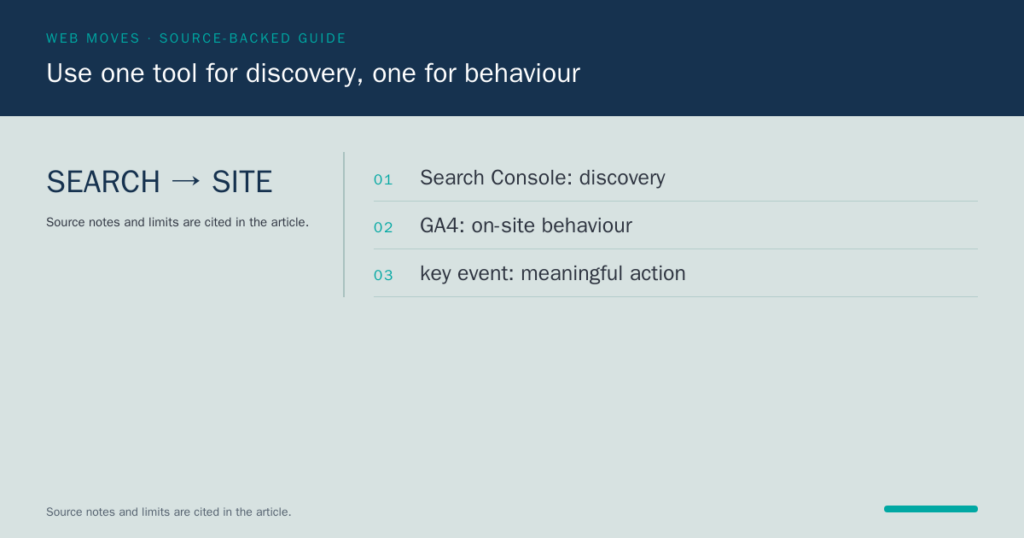
Google Search Console and Google Analytics have different jobs. Search Console’s performance reporting can show Google Search query, page and appearance data for a verified property, subject to the report’s processing and privacy limits. GA4 measures on-site events and reporting configured for the property. Combining the two can help diagnose a search journey, but neither report independently proves why a person converted or what commercial value a visit created. Define the page, query range, event and decision before comparing them.
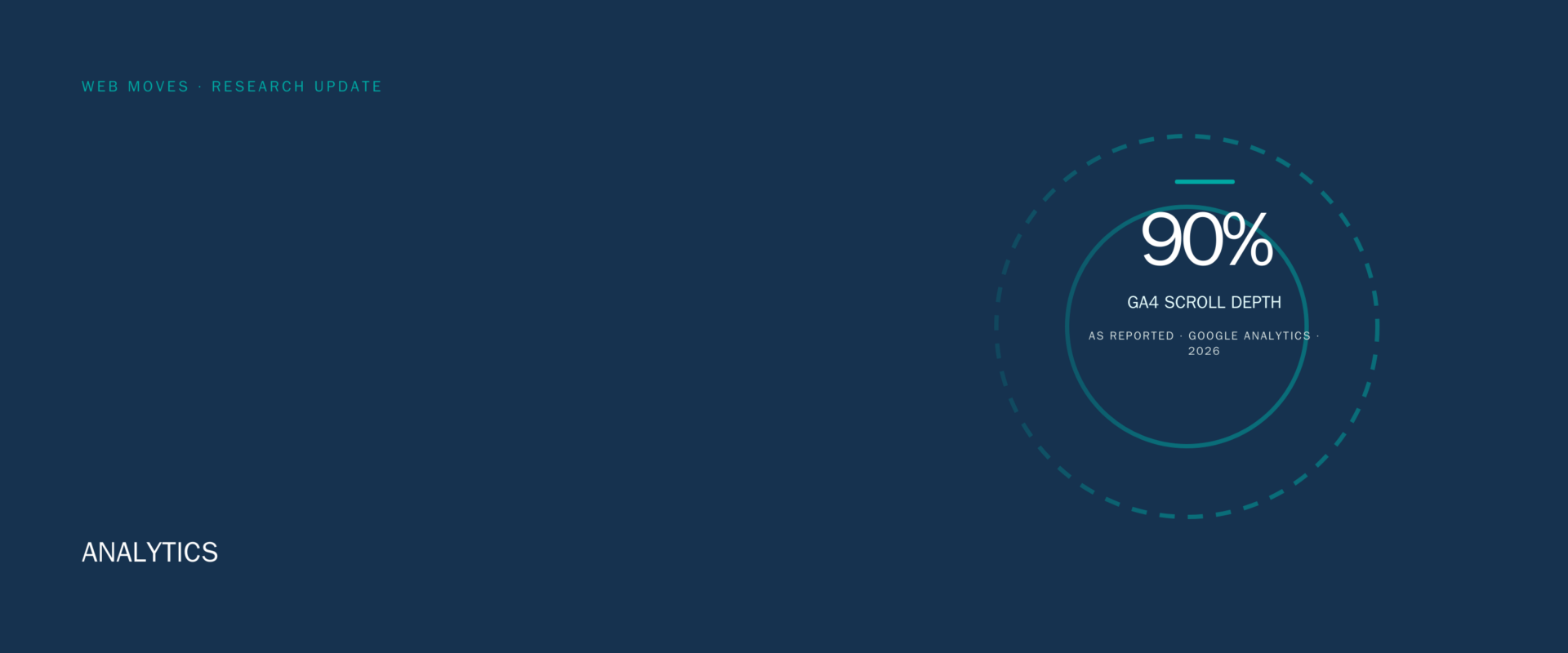
GA4 enhanced measurement can collect common interactions, including page views, scrolls, outbound clicks, site searches, video engagement, file downloads and form interactions when the relevant options apply. Its automatic scroll event fires the first time a user reaches 90% vertical depth on a page. That event is a useful signal of depth, not proof that a reader understood the material or completed the intended task. When an action matters, collect a suitably specific event and mark it as a key event only after confirming the event represents the action the report needs.
Consent and privacy should be reviewed before tags are added, not after a dashboard is built. Google’s Consent Mode documentation describes how Google tags communicate consent choices; it does not itself determine whether a site’s notice, consent process or data use meets every applicable rule. The ICO’s guidance on storage and access technologies explains that exceptions are limited and context-dependent. Microsoft Clarity has its own implementation and privacy questions. Configure only what the purpose requires, avoid sending prohibited personal data and obtain appropriate legal or privacy advice for the organisation and jurisdictions involved.
For a practical application, the landing-page update explains how page tests need a defined event and decision rule. Our web marketing services place those reports within the wider choice of channel, audience and offer. The archive record below remains available as a historical reference, but a current tool choice should follow documented capabilities, a measurement question and a privacy review rather than a 2010 comparison.
Sources: Google Search Console performance reporting; Google Analytics enhanced measurement events; Google Analytics key events; Google Consent Mode documentation; ICO guidance on storage and access technologies; Microsoft Clarity FAQ.
Archive record
Whether you have a blog or a full-fledged e-commerce site, you probably are curious about how many people visit your site, which pages are most popular, how many page views you get, and how long visitors stay around. Fortunately, there are several free analytics programs you can get right online to help you dig into the numbers your website is generating and learn what stories those numbers tell. Four such programs are Onestatfree.com, Google Analytics, Piwik, and GoStats.
Onestatfree.com
Onestatfree.com is a free subset of onestat.com, which provides web analytics for marketers and webmasters. The paid version starts at $125 per year and provides information on visitor behavior, conversions, and online advertising, plus a full range of website statistics software. Onestatfree is a hit counter that is password protected and has the ability to track an unlimited number of pages. It also gives you information about your visitors and your site for free. You can see an example of the information Onestatfree gives you on the first screen shot. To get Onestatfree, just go to onestatfree.com and register. You’ll be given a snippet of code to insert into your website’s source code that will start monitoring and analyzing visits to your site.
Onestatfree has a directory based on web statistics, and when you use the service, your website is automatically listed in the categorized charts based on web statistics. This is a way to easily see the most popular websites in each category based on Onestatfree statistics. Your site starts being listed as soon as the first visit is tracked by the counter. Categories of websites in the directory are: Arts, Business, Children, Computers & Internet, Culture & Religion, Education, Employment, Entertainment, Finance and Money, Games, Government, Health & Fitness, Hobbies & Interests, Home & Garden, Life & Family, Marketing, Movies & Television, Music & Radio, News & Media, Personal Homepages, Pets, Science & Technology, Society, Sports, Tourism & Travel, and Weblogs.
Google Analytics
Google Analytics is perhaps the most famous of the free analytics packages. It gives you a broad range of information about your site, including advertising return on investment, cross-channel multimedia tracking (as you can see in the second screen shot), customizable reporting, and many ways to visually represent your site’s analytics. Using Google Analytics is also a matter of installing code into the source code of the website you want to track. Users of Google Analytics include some big names, like The American Cancer Society, Discount Tire, Yelp, Huffington Post, and RE/MAX Global Real Estate.
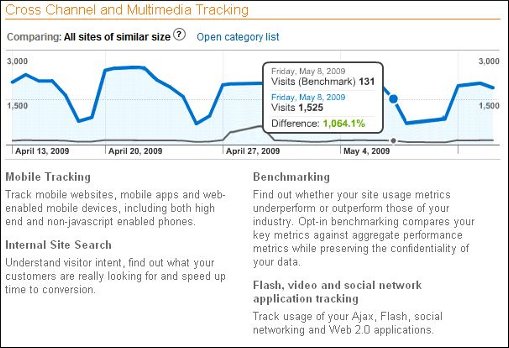
If you use Google AdWords, then you can integrate Google Analytics with it and review your online campaigns and track things like the quality of your landing page and your conversions. You define conversions as sales, lead generation, page views, or downloads. You can also use Google Analytics with Google AdWords to determine which ads perform best. You can identify poorly performing pages by looking at where your visitors come from (their referrers), and their geographical location. You can add up to 50 site profiles to Google Analytics, and each site must have traffic lower than 5 million pageviews per month, unless the site is tied to an AdWords campaign, in which case it can be bigger in terms of visitors.
Piwik
Piwik is an open source, GPL licensed website analytic software program that is downloadable. Piwik gives you real-time reports on website visitors, including information like which keywords and search engines they used, what language they use, and which of your pages are most popular. Piwick calls itself the open source alternative to Google Analytics. It is a PHP MySQL program that you download and install. After the installation process, you get a JavaScript tag that you copy and paste into the source code of websites you want to track. An example of the type of reports you can get is shown in the third screen shot.
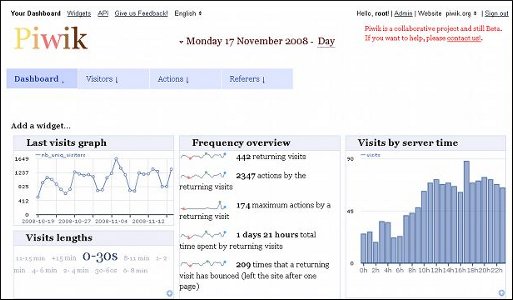
Piwik is constantly adding new features, like goal tracking, that can help you optimize your affiliate income if you participate in an affiliate program. Piwik 1.0, to be released in 2010, has already added some new features, like a one-click update check, new JavaScript tagging, and a dashboard to track multiple sites.
Gostats
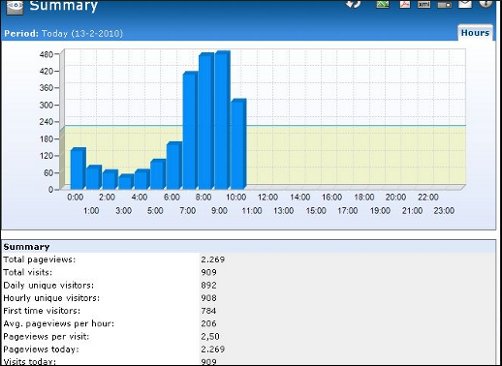
Gostats is another free hit counter that provides stats on not only the number of visitors to your site, but also information about page views, page popularity, and return visitors, as you can see on the fourth screen shot. Like the other free analytics software programs, you visit gostats.com, create an account, and copy and paste a small bit of code into your website’s source code. GoStats will then start tracking your site data. If you want more data than the free version of the software provides, you can upgrade to the professional version of GoStats. Another interesting page on the GoStats site is a huge chart comparing web hosting services in terms of price, how much disk space and bandwidth they provide, monthly cost, and initial setup cost. The three plans highlighted in green at the top of the chart are paid listings. You can narrow the chart down by specifying monthly costs or setup costs.

If you upgrade to GoStats Professional, you’ll get comprehensive site and data analysis, with regular reports and displays of visitor traffic on a map of the world.
Web analytics can be as simple or as complex as you want them to be. Whether you simply want the ego boost of knowing that your blog is being read, or whether you need lots of numbers crunched in order to maximize your site’s profitability, you can get that functionality easily. While Google Analytics is the leader of the pack, there are plenty of other options that you can try so you can find the analytics that are right for you.